
What is changing: TUL team members will now have three ways to obtain prescription safety glasses: virtual, offsite, and onsite when available.
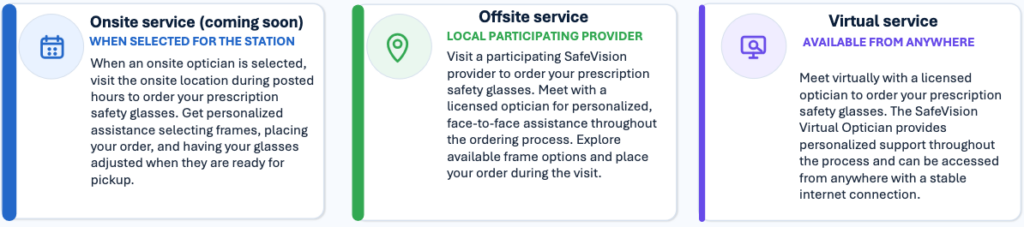
HOW TO GET YOUR NEW PRESCRIPTION SAFETY GLASSES:
- Log into Tech Ops HOME PAGE
- In Search Bar : Prescription Safety Glasses
- Choose ONE of the Three Options: ONSITE (NOT YET AVAILABLE IN TUL), OFFSITE or VIRTUAL
- Safe Vision Page: Left Side click on – ORDERING SAFETY EYEWEAR
- Fill Out Form – ***ENSURE CORRECT STATION AND BRANCH GO TO YOUR WORKBRAIN, EMPLOYEE DATA, PERSONAL INFO and in bottom right-hand TEAMS that number listed is the station and branch required to order glasses. If you do not put correct number that matches your employee number your form WILL BE REJECTED
- PRINT FORM and your most recent (within 12 months) eye prescription
- SUPERVISOR OR MANAGER SIGNATURE REQUIRED before ordering
- MAKE AN APPOINTMENT with either OFFSITE LOCATION Found on main page left side EYECARE LOCATOR (put in any zip code and provider options will be shown) Call and make appointment with provider found. If VIRTUAL fill out appointment calendar.
Any questions please reach out to your local Supervisor / Managers or Base Safety Ops Partner